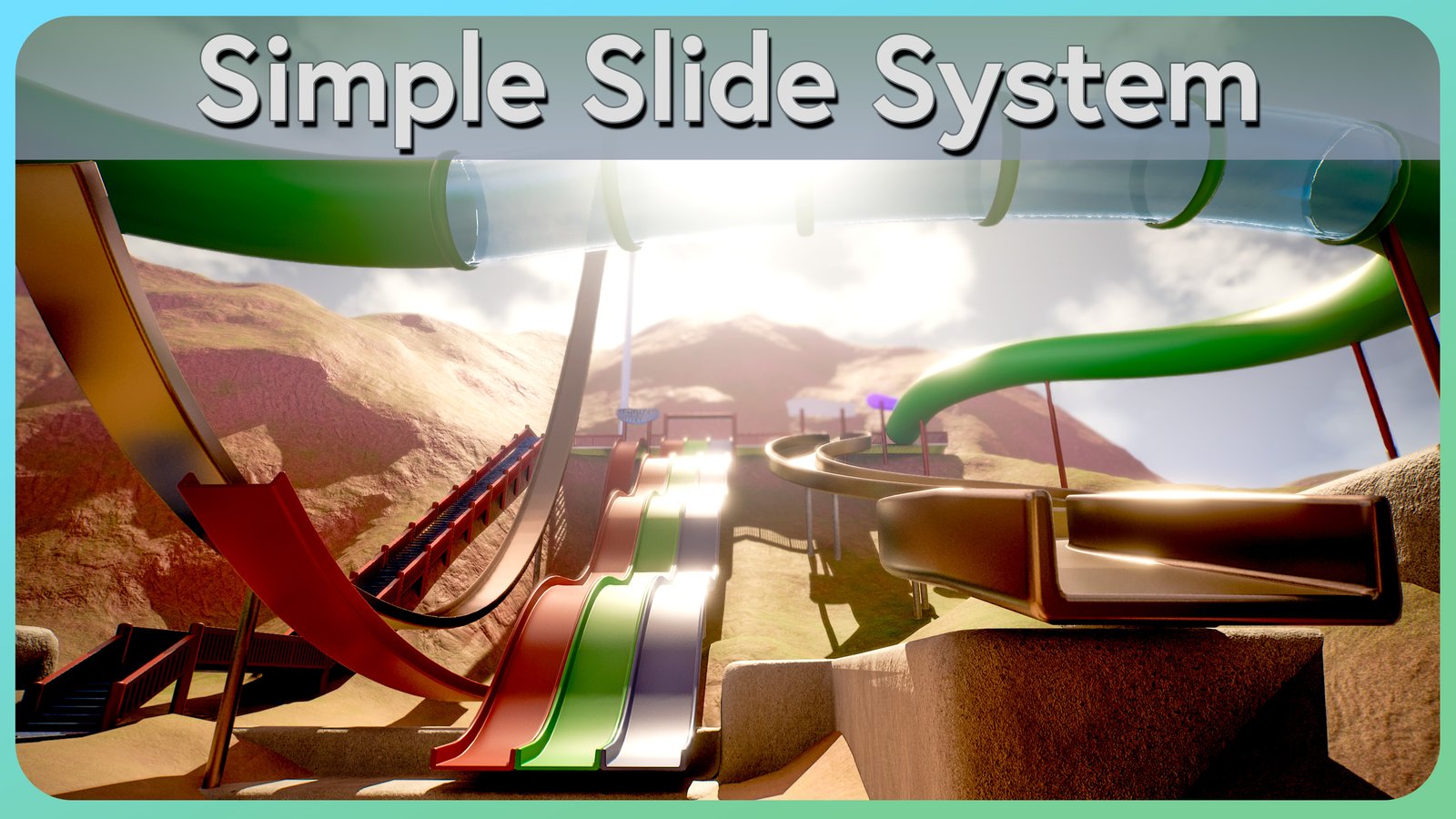
Simple Slide System
Create spline-based slides for your Character or explore the included theme park demo.
Overview
Simple Slide System is a single drop-in Blueprint actor, BP_SimpleSlideSystem. You place it in your level, shape its spline, and any Character that walks into the entry trigger is carried smoothly down the path and launched off the end.
The slide takes care of everything during the ride — movement, camera facing, collision, sound and the final launch — and then hands control back to the player exactly as it found it. No code is needed in your character.
The same Blueprint and workflow scale from a simple playground slide to a full theme-park attraction. Small slides, giant tube rides, launch cannons and fireman poles all use the same actor; only the spline and settings change.
Follow the Quick Start — you can have a working slide in under five minutes.
Features
- Spline-driven path — shape any slide by moving spline points
- Automatic start when a Character enters the trigger
- Start rides from your own logic with Activate Slide
- Smooth blend from the trigger onto the top of the slide
- Slope-aware speed with min / max limits and constant acceleration
- Camera that turns to look down the slide (optional)
- Free look — players can glance left and right within a set limit while the camera follows the slide
- Speed FOV — the field of view widens with speed, then eases back after the ride (optional)
- Momentum-based launch with adjustable boost and pitch
- Air braking override so launched riders fly the full arc
- Sit, sliding-loop and exit sounds with volume control
- Speed-reactive wind audio that gets louder and higher-pitched as the rider speeds up
- Cooldown to prevent instant re-triggering
- On Slide Started / On Slide Finished events
- Editor warnings when the spline or exit is set up incorrectly
- Exit Arrow preview of the launch direction in the viewport
- Debug sphere, speed readout and state logging for tuning
- Safe cancel — a rider is never left frozen if the slide is removed
- Idle slides don't tick, so they cost nothing at rest
Why Simple Slide System?
The asset is built around a short list of principles. Each one is a deliberate trade-off in favour of getting you to a working slide quickly.
Blueprint only
All logic lives in one readable Blueprint. No C++ modules, nothing to compile, and you can open it to see exactly how it works.
Independent core actor
Migrate the core actor with its dependencies and keep your existing Character, GameMode and input. The demo uses Unreal Engine's built-in Enhanced Input plugin.
UE 5.1 – 5.8
Available for every Unreal Engine 5 release, from 5.1 to 5.8. See supported engine versions below.
Fast setup
Drag the actor into a level, shape the spline, press Play. Sensible defaults mean most slides work before you touch a setting.
Uses your Character
Use a Character with a CharacterMovementComponent and a player controller. Camera-facing and FOV features depend on the camera setup.
Includes demo map
The L_Slide_Mountain_Themepark map is a full theme park, from a backyard playground to giant tube slides and launch cannons, all built with the same slide Blueprint.
Includes example slide meshes
Tube, spiral, slope, bumpy and launch slide meshes, plus structures and signage, so you can prototype immediately.
Supported engine versions
| Engine | Status |
|---|---|
| Unreal Engine 5.0 | Not Yet Supported |
| Unreal Engine 5.1 | Supported |
| Unreal Engine 5.2 | Supported |
| Unreal Engine 5.3 | Supported |
| Unreal Engine 5.4 | Supported |
| Unreal Engine 5.5 | Supported |
| Unreal Engine 5.6 | Supported |
| Unreal Engine 5.7 | Supported |
| Unreal Engine 5.8 | Supported |
| Later versions | Check the Fab product page for the current list |
Platform support follows your project: the slide uses only standard engine features and Blueprint, so there is nothing platform-specific to configure.
Requirements
The slide can carry any pawn that meets these conditions:
- It is a Character (or a child of the Character class).
- It has a Character Movement Component — every standard Character does.
- Its camera uses Pawn Control Rotation — only needed if you want the view to turn and face down the slide. See Camera requirements.
That's it. You don't need a special Game Mode, Player Controller, input setup or interface.
The demo map uses its own demo character and game mode so it works out of the box. Your own project does not need to use them.
Quick navigation
Quick Start
Your first working slide in five steps.
Setup Guide
Triggers, splines, cameras, collision and exits explained.
Slide Settings
Every option in the Details panel, with recommended values.
Blueprint API
Start, cancel and react to rides from your own Blueprints.
Example Map
A tour of every attraction in L_Slide_Mountain_Themepark.
Troubleshooting
Fixes for the most common setup problems.
FAQ
Multiplayer, AI, custom characters and more.
Asset philosophy
Simple Slide System does one job: move a Character along a path you draw, and give them back cleanly at the end. It is intentionally not a movement framework, and it doesn't ask you to restructure your character, your input or your game mode around it.
- Drop-in, not built-in. The slide borrows the rider for the length of the ride and restores their collision, movement and mouse look afterwards. Your character stays your character.
- Readable over clever. One Blueprint, clearly grouped settings, and every option has a tooltip in the editor. If you want to know how something works, you can open the graph and follow it.
- Safe by default. Frame-time spikes are capped so a hitch can't fling the rider, the exit nudges riders clear of overlaps, and the ride is cancelled automatically if the slide is removed mid-ride.
- Self-contained. The core actor takes its enum, icon and audio with it when migrated with dependencies. The demo has its own GameMode and Enhanced Input setup.
What's in the folder
| Folder | Contents |
|---|---|
SimpleSlideSystem/Core | BP_SimpleSlideSystem (the slide actor) and its state enum. Together with Audio, this is all the slide needs. |
SimpleSlideSystem/Audio | The slide's default sit, sliding-loop and wind sounds (used by BP_SimpleSlideSystem), plus extra sounds used in the demo. |
SimpleSlideSystem/Demo | The L_Slide_Mountain_Themepark map and its demo content: example slide meshes, structures, signs, materials, demo character, game mode and input. |
Move or migrate the whole SimpleSlideSystem folder using Unreal's Asset Actions › Migrate (or move it inside the Content Browser). Don't move files in Windows Explorer — references between assets will break. If you only want the slide without the demo, migrating BP_SimpleSlideSystem brings its sounds from Audio with it automatically; copying only the Core folder does not.